How it works
Transcript below, under What the video says.
Fatbird runs a pickleball event from your phone, free and with no login: choose a format, add the players, share one link, and everyone enters scores as they play.
What the video says▾
- Running the games this week?
- Round robins, minus the clipboard.
- 1. Add the names. Pick how you want to play.
- 2. Text the link, or show the QR code at the court.
- 3. Everyone enters their own scores.
- Standings update live.
- Then share the results. One tap. Awards included.
- Easy peasy.
- Free. No login. No app.
- Up to 20 players, or 48 at drop-in.
- Set up your next game. fatbird.gg
- Easy peasy pickleball organizing.
Run an event
The same in every format. No app to install, no login.
- 1
Start an event
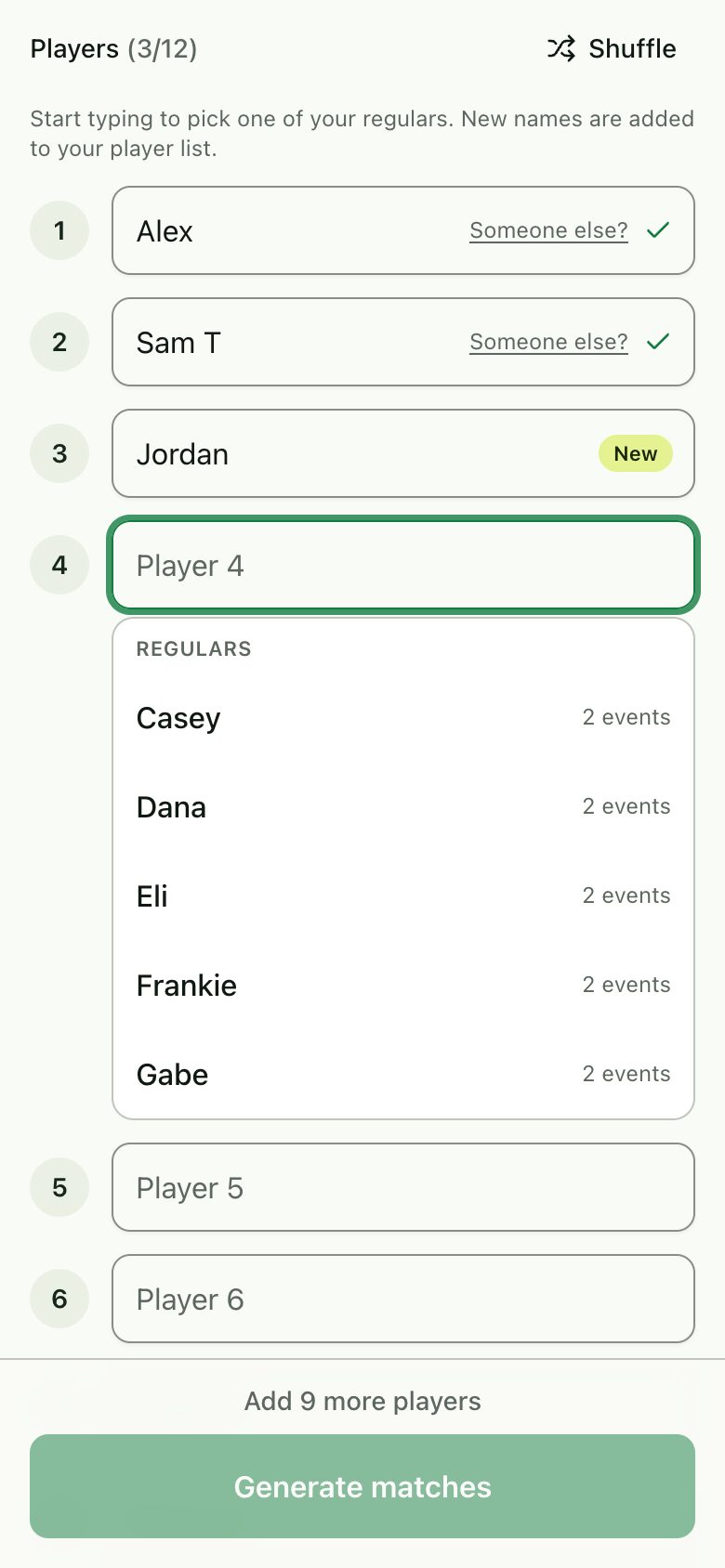
Tap Play now, pick a format, and add the players. Your regulars show up as you type, and anyone new is added for next time. Tap Generate matches and the schedule is ready.
- 2
Share the link
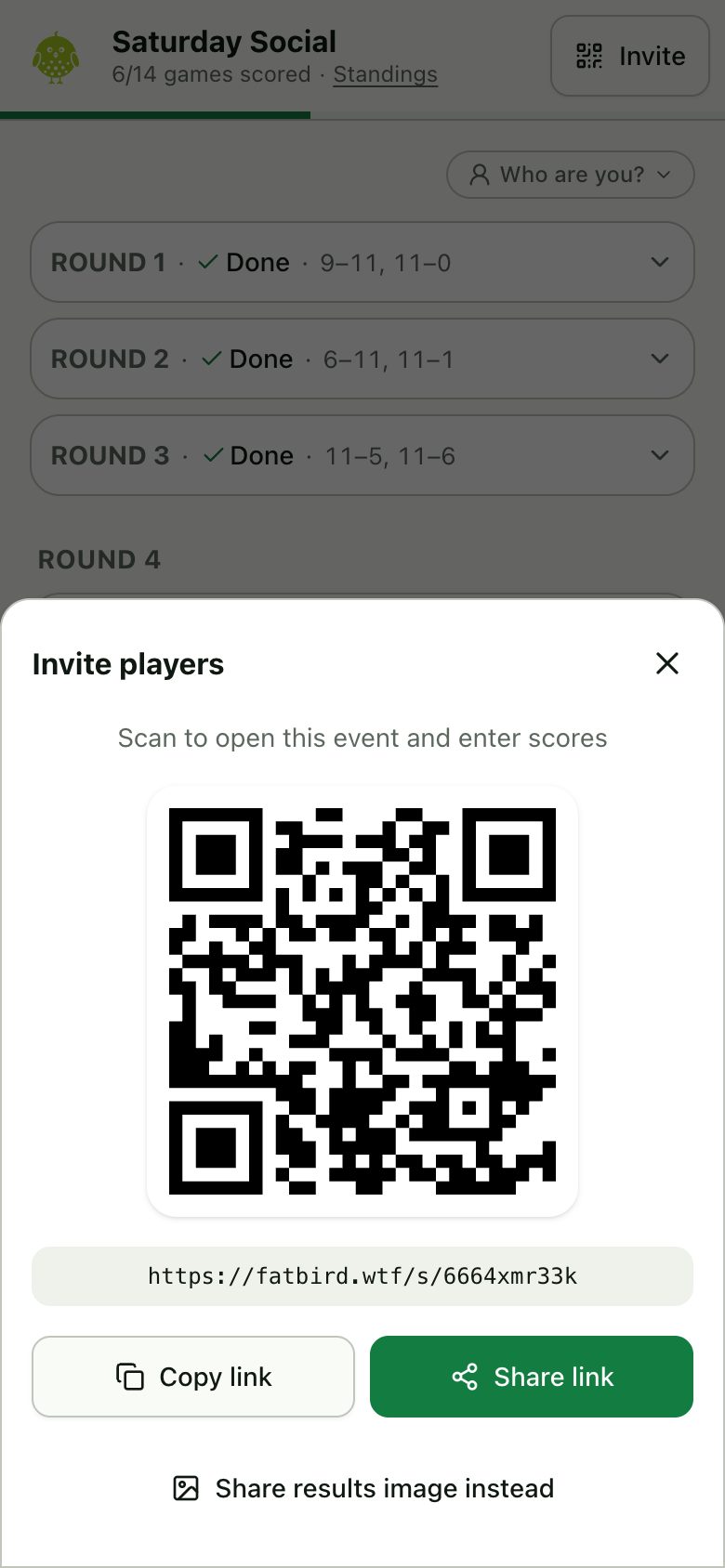
Tap Invite for a QR code and the link. Anyone who opens it sees the matches and can enter scores.
- 3
Say who you are
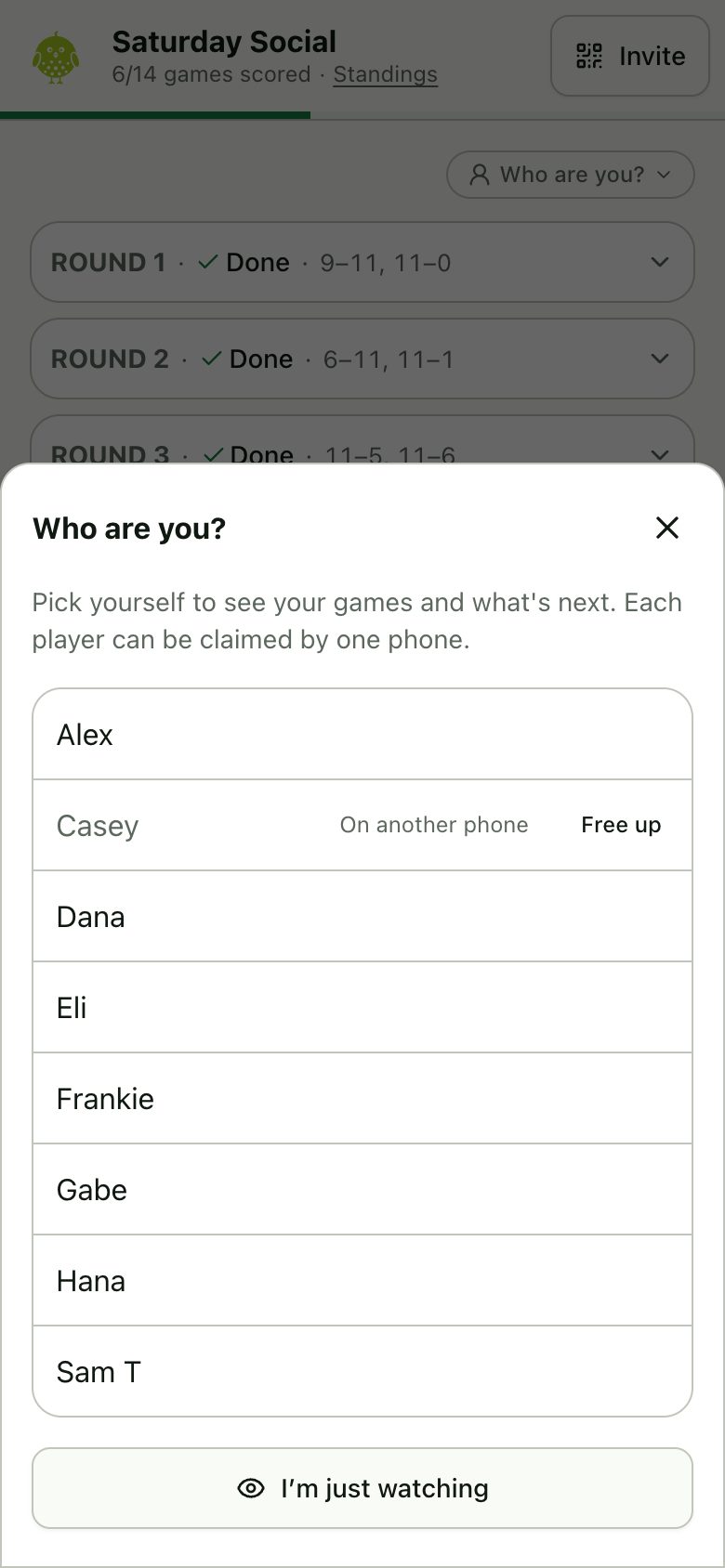
The first time a phone opens the event, it asks who you are. Pick yourself and your games are highlighted, with a banner saying where you play next. Or tap I’m just watching.
- 4
Enter scores as you play
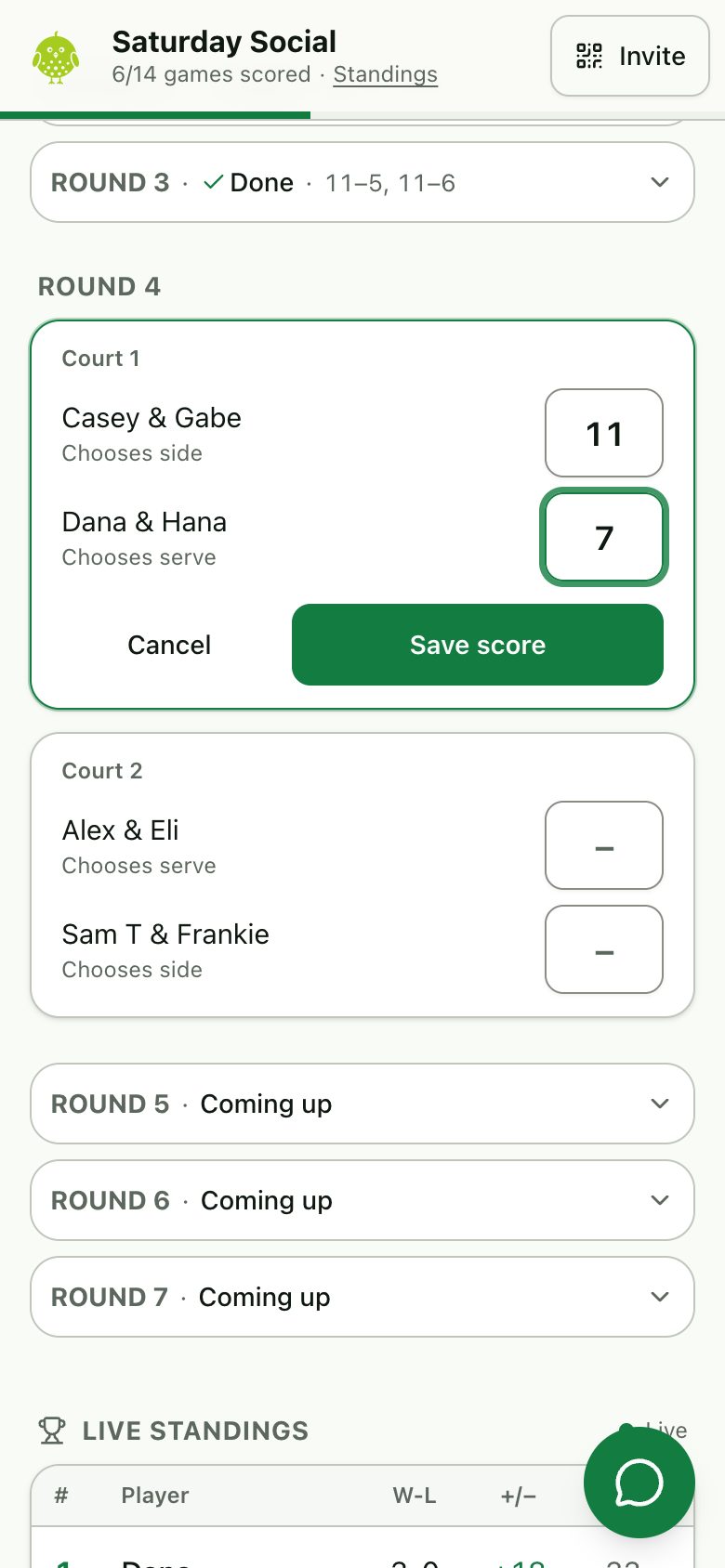
Whoever is closest types the score and taps Save score. Every phone updates within seconds. Got it wrong? Change it and save again.
- 5
Crown the winners
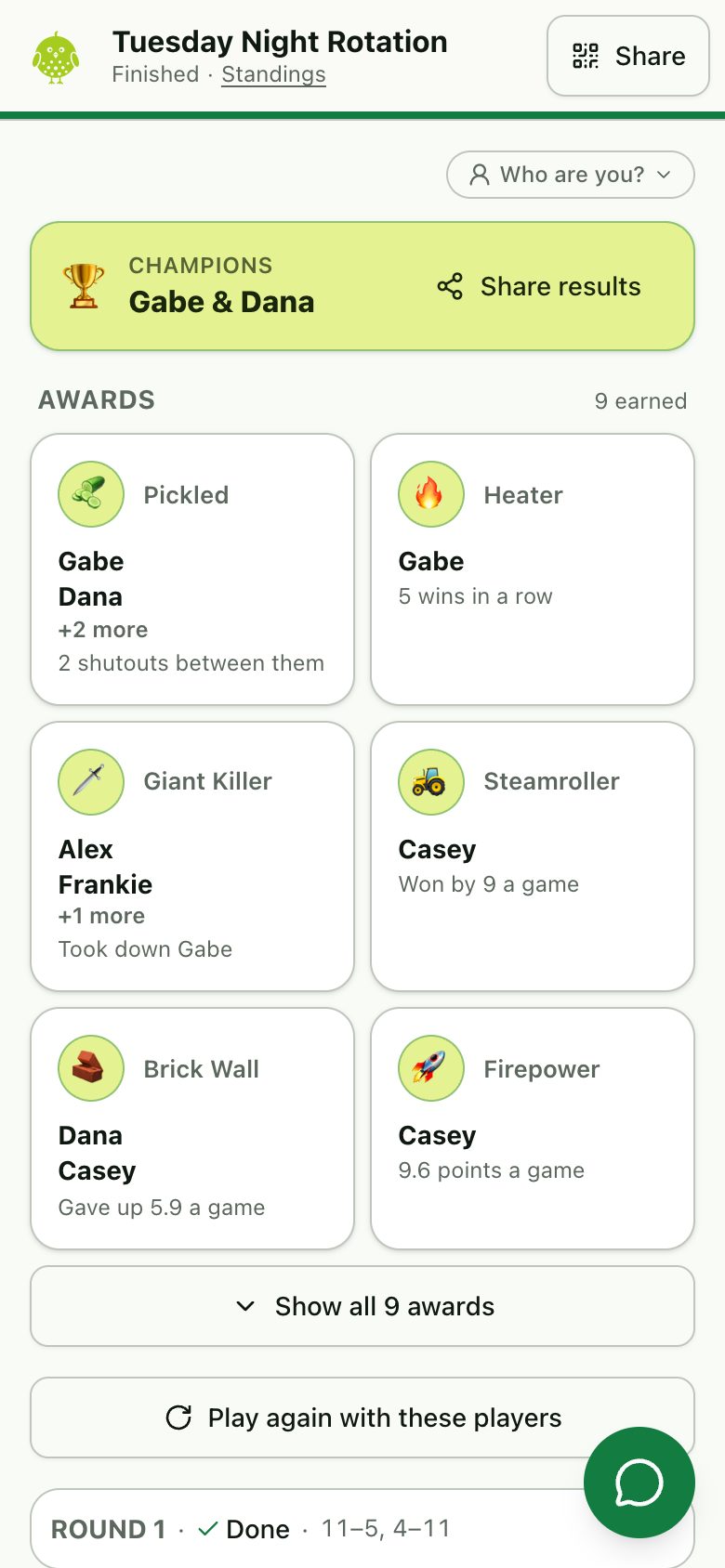
When every game is scored, the top four can play a final if you like. Then the event names its champions, hands out awards for things like shutouts and streaks, and Share results makes an image for the group chat.
- 6
Find it again
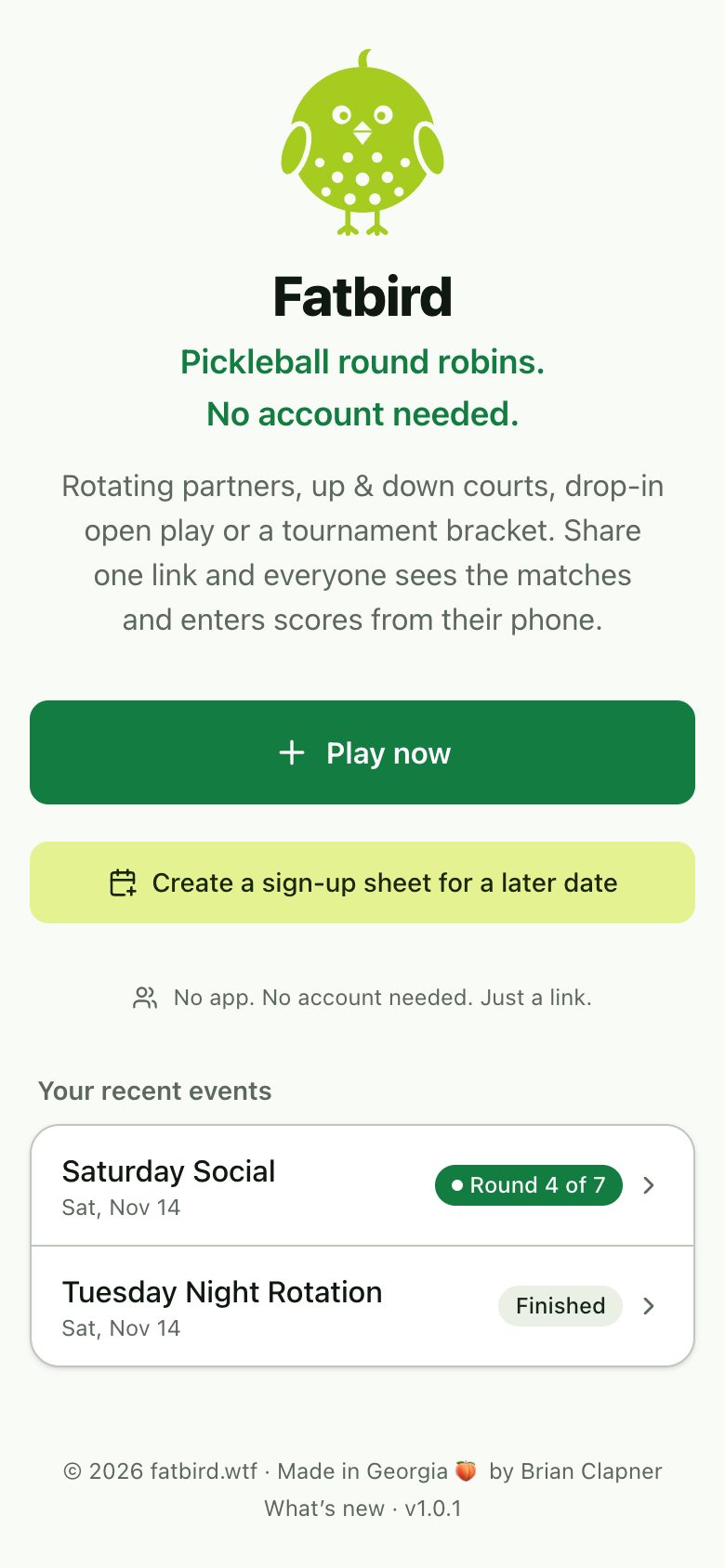
Your recent events are on the home page, with where each one stands. Tap one to jump back in.
Pick a format
Pick how partners and rankings work. If the players don’t fill the courts, the extras take turns sitting out.
Rotating partners
A new partner every round, ranked on your own record. Best for finding one overall winner. 4 to 20 players.
Up & down courts
Each court plays three games, then the top two move up a court and the bottom two move down. Everyone ends up playing people at their level. 8 to 20 players.
Tournament
Fixed teams of two in a single-elimination bracket, with an optional third-place match. 4 to 16 teams.
Open play
Drop-in games on as many courts as you have. Draw one round at a time, let people come and go, and finish when you’re done. 4 to 48 players.
Fatbird
Rotating partners, scored for points instead of wins. A win is worth 3, a close loss still gets 1, and bonuses pay out for big wins, shutouts, upsets and knocking off the leader. 4 to 20 players.
Talk trash
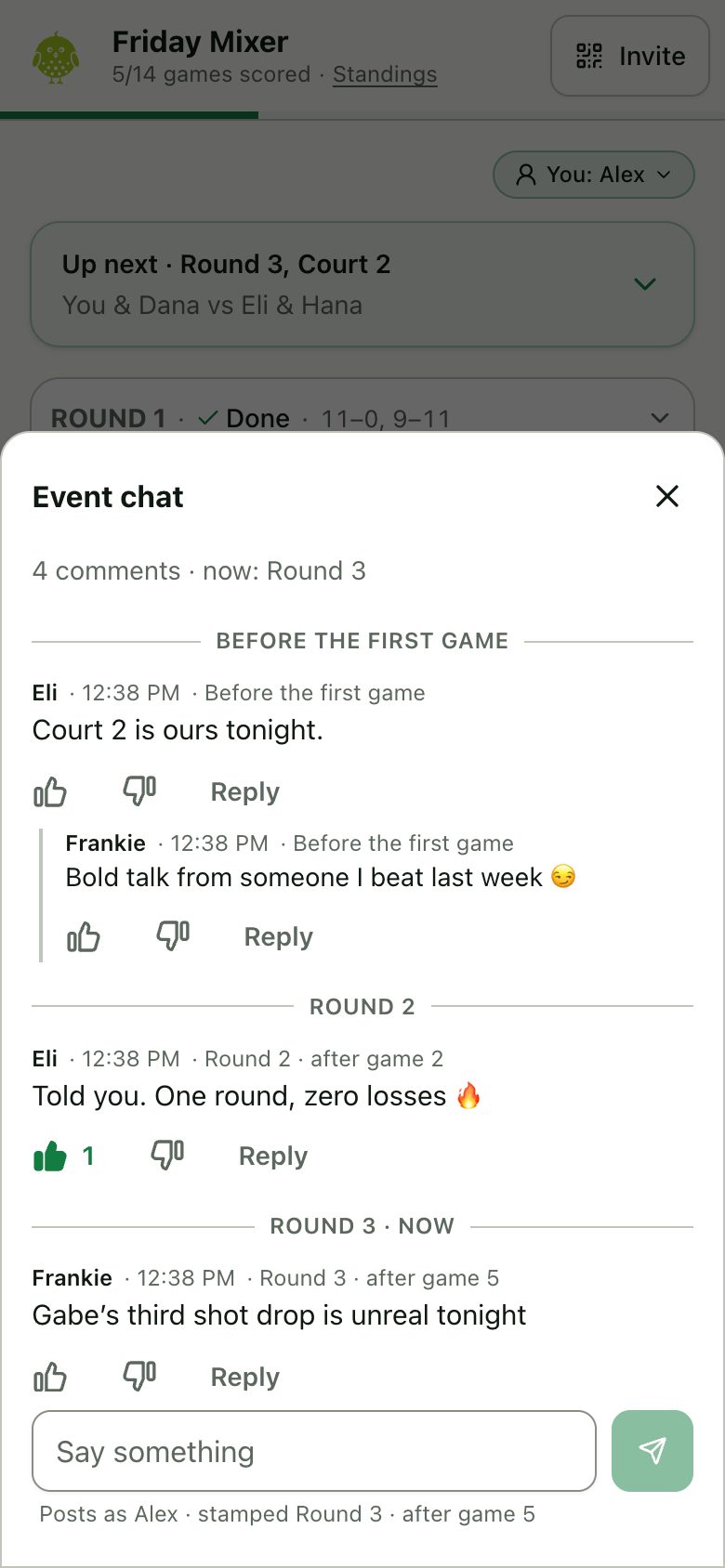
Every event has one chat, open before, during and after play.
Open the chat
Tap the chat button on the event page. Post once you’ve said who you are, attach a game to brag about it, and like the best lines. The most liked can go on the results image.
Plan ahead
Playing another day? Collect names first.
Make a sign-up sheet
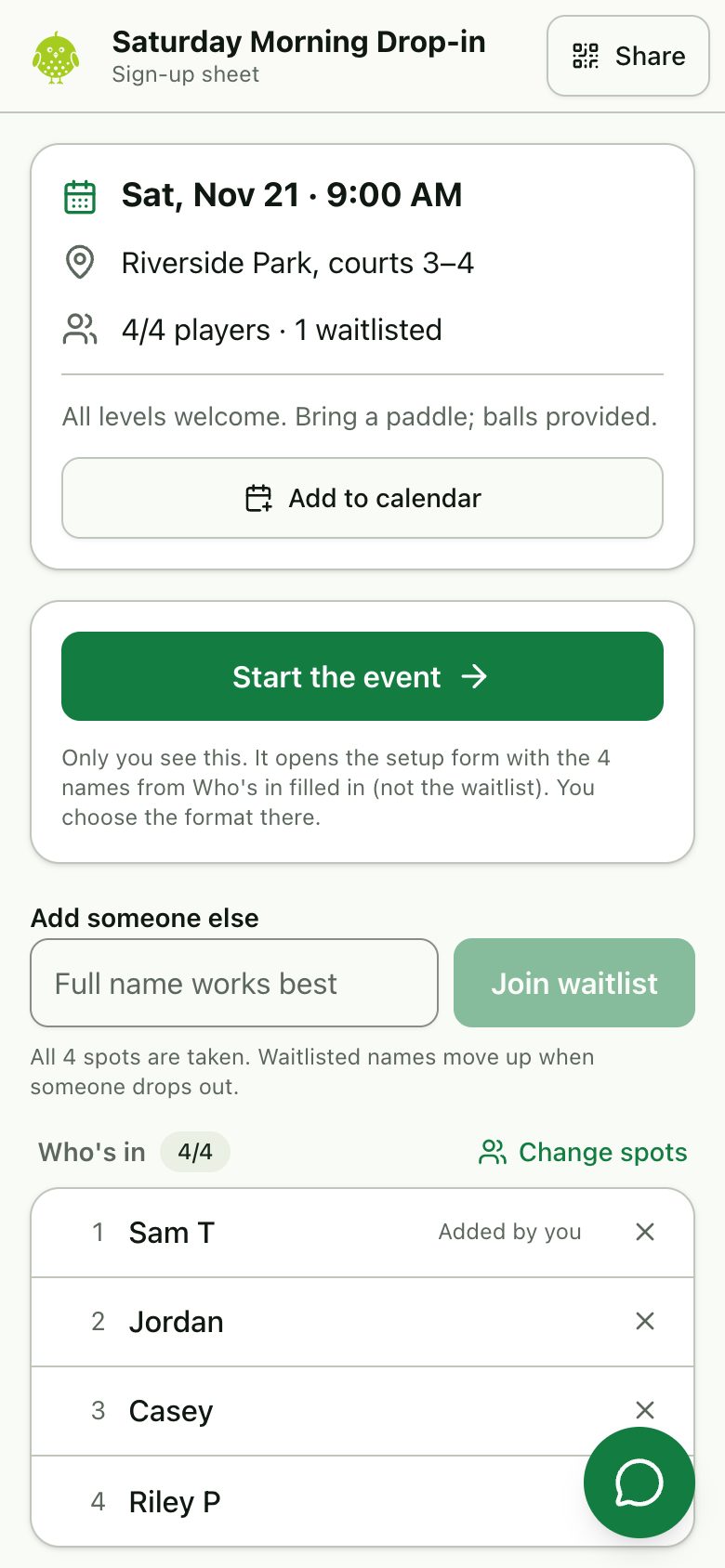
Tap Create a sign-up sheet for a later date, set the date, time and place, and share the link. People add their own names, and a waitlist fills once the spots are taken. On the day, tap Start the event and the setup form opens with everyone filled in.
Clubs
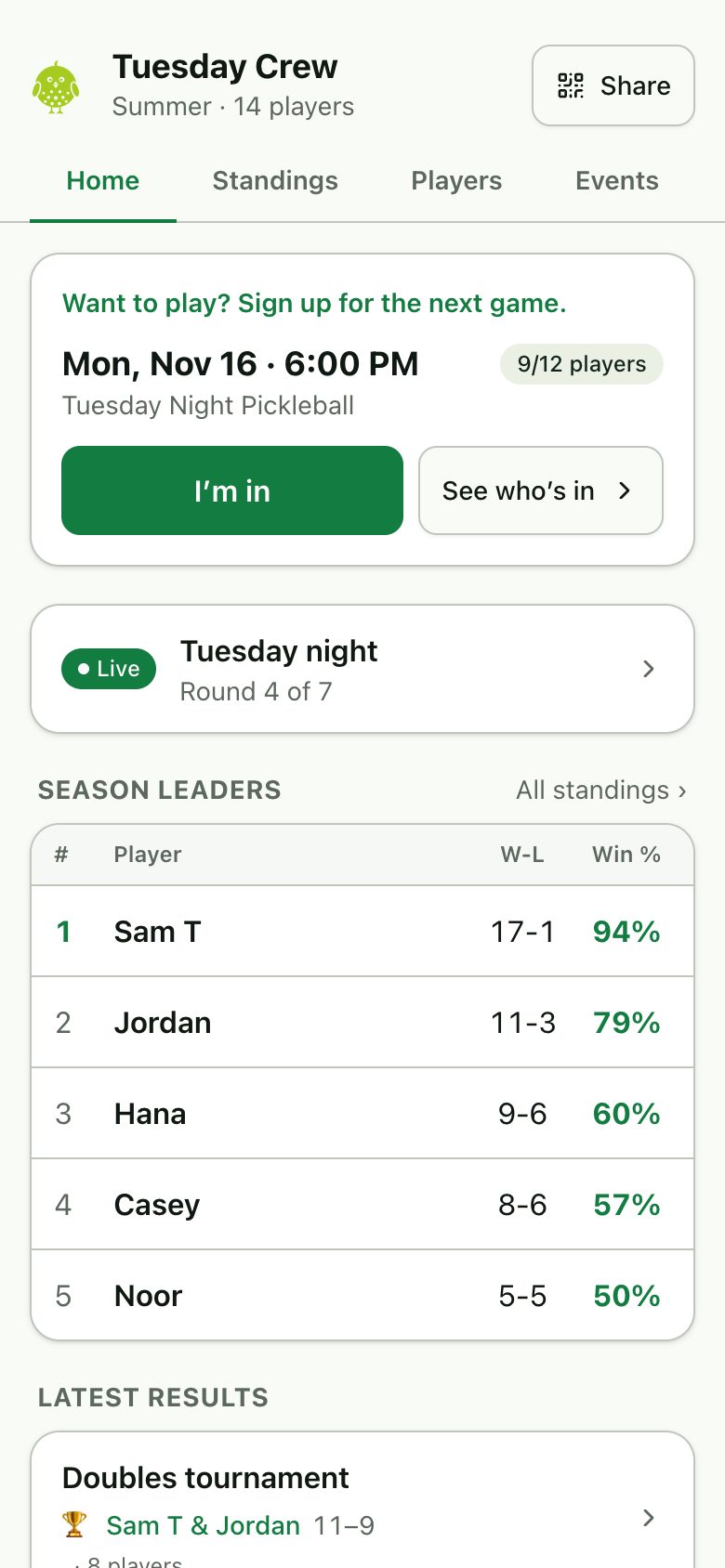
Coming soonFor groups that play every week.
One home for your group
A page with your next game, what’s being played right now and the latest results.
Seasons and standings
Every event counts toward a season table, and each player gets a profile with their record.
A weekly sign-up
A new sheet opens on its own each week at one link that never changes.
Organizers
A few people run the club and can choose who may start events and enter scores.
What a club looks like
Clubs are being tried out by a few groups first.
Questions
Who can enter scores?
Anyone with the link. There’s no login, which keeps it quick at the courts, so share the link only with your group.
What if the players don’t fill the courts?
Four play on a court, so with, say, 10 players two sit out each round. Everyone takes turns, and the standings rank by win percentage so nobody is penalised for sitting out.
Can I fix the event after I start it?
Until the first score, the phone that made it sees Edit event at the bottom of the page. That phone can also delete the event at any time.
Do I need an account?
No. If you sign in with your email (you get a code, there’s no password), the events and sign-up sheets you made show up on every phone you sign in on. Tap You on the home page.